King of Throwing
Author’s suggestion: Use a notepad to record the angles of your throws. Players can aim and throw by clicking the left mouse button, and control the character’s left and right movement by pressing A and D. Control the angle of your throw, you don't want to make a mistake
Released
4 Dec 2023
3 years ago
N/A
VGDB Score
Be the first to review
Overview
Summary
Author’s suggestion: Use a notepad to record the angles of your throws. Players can aim and throw by clicking the left mouse button, and control the character’s left and right movement by pressing A and D. Control the angle of your throw, you don't want to make a mistake
Description
About This Game
Author’s suggestion: Use a notepad to record the angles of your throws.
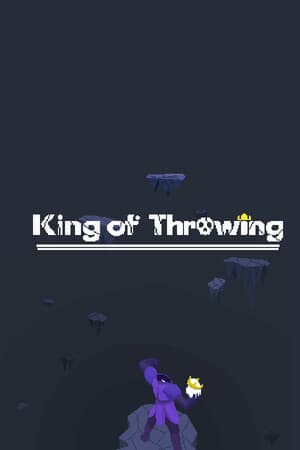
You will play as a skull knight who has lost his memory. Your soul feels a call from high above. By continuously throwing the skull and using the skull knight’s unique ability to resurrect in place, you keep moving upward. Different terrains along the way will bring different challenges, and a misstep may send you back to the starting point.
Players can aim and throw by clicking the left mouse button, and control the character’s left and right movement by pressing A and D.
Control the angle of your throw, you don't want to make a mistake
There will be four gold fragments on the way. After collecting them, something may happen.
You will play as a skull knight who has lost his memory. Your soul feels a call from high above. By continuously throwing the skull and using the skull knight’s unique ability to resurrect in place, you keep moving upward. Different terrains along the way will bring different challenges, and a misstep may send you back to the starting point.
Players can aim and throw by clicking the left mouse button, and control the character’s left and right movement by pressing A and D.
Control the angle of your throw, you don't want to make a mistake
There will be four gold fragments on the way. After collecting them, something may happen.