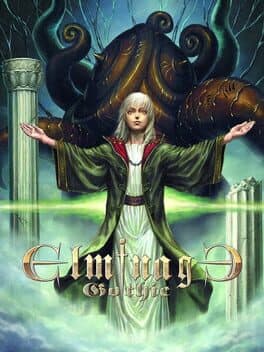
Elminage ORIGINAL - Priestess of Darkness and The Ring of the Gods
Also known as: Elminage: Yami no Fujo to Kamigami no Yubiwa
With simple gameplay, sense of freedom and even graphics/sound customization, create and raise your very own party of characters before setting forth across this fantasy world to defeat the monsters that lurk in the labyrinth-like dungeons in this 3D dungeon RPG.
- Released
- 9 years ago
Overview
Summary
With simple gameplay, sense of freedom and even graphics/sound customization, create and raise your very own party of characters before setting forth across this fantasy world to defeat the monsters that lurk in the labyrinth-like dungeons in this 3D dungeon RPG.
Description
About This Game
FACELOAD&SOUNDLOAD
FACELOAD is a function where a player can choose an image they like and use it as a character's icon. Instructions 1) Place your chosen image in the folder 'My Document' > 'Mebius' > 'Elminage Original' > 'FACELOAD' The FACELOAD folder will automatically be created upon upgrade. Supported image file and size 192x192px JPG, BMP, PMG file 2 ) Start the game and select 'FACELOAD' 3 ) Choose a location to upload the image 4 ) The image in the FACELOAD folder will be shown. Select the image to upload. 5 ) The image should be ready. Press 'Z' to finish the process. Begin the game and when you go to the face list in 'adventurer registration' or 'change name' at the Training School, select FACELOAD on the bottom right icon where you can find your face.
SOUNDLOAD
SOUNDLOAD is a function where a player can use a BGM they like in the game. Instructions 1 ) Place your chosen image in the folder 'My Document' > 'Mebius' > 'Elminage Original' > 'SOUNDLOAD' Supported sound files wav. or ogg. 2 ) Start the game and select 'SOUNDLOAD' 3 ) Go to the sound page 4 ) The sound file in the SOUNDLOAD folder will be shown. Select the file to upload. Pressing PAGE DOWN adjusts the volume. Pressing 'F' returns the sound back to its original setting. 5 ) The image should be ready. Press 'Z' to finish the process. There may be parts of the image unable to be reproduced depending on the type/format of the file. Please seek approval beforehand. In the case SOUNDLOAD does not work normally, the steps below can return you to the original setting. 1 ) Confirm whether there is a BIN folder the 'Elminage Original¥SOUNLOAD folder'. 2 ) Rename, or if that fails, delete the SNLD.DAT in the BIN folder.