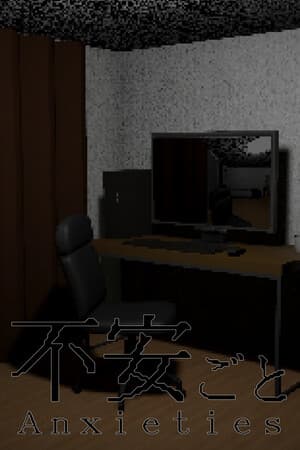
不安ごと - Anxieties -
Every day, you trawl the internet for ghost stories and horror tales. After the usual routine, something feels off...?
Released
1 Jan 2026
This year
N/A
VGDB Score
Be the first to review
100%
Overview
Summary
Every day, you trawl the internet for ghost stories and horror tales. After the usual routine, something feels off...?
Description
About This Game
Every day, you trawl the internet for ghost stories and horror tales. After the usual routine, something feels off...?
"It's all made up." "That kind of thing doesn't happen to me." And yet — that moment of hesitation before opening a door or drawing back a curtain. What if something is there?
Fuangoto is a short walking simulator that stirs up the anxieties lurking in everyday life.
How to Play
Turn on the computer and read the ghost stories that appear. Each story describes in precise detail the conditions for encountering a supernatural phenomenon.
Just read them, though. The procedures described for encountering these phenomena must never, under any circumstances, be carried out.
Controls
The controls are a little unconventional.
Mouse movement: Control your view
W or S: Move forward or backward (in the direction you're facing / opposite)
A or D: Turn left or right
Mouse click: Interact with objects
Esc: Open the Pause Menu
The intended approach: use the mouse to face the direction you want to go, then press W to move forward.
About This Game
A scenario-based game you can enjoy at your own pace. Jump scares and QTE elements are virtually nonexistent.
Set in 2000s Japan — CRT televisions, flip phones, fluorescent lighting instead of LEDs. Soak in the atmosphere of a bygone era.
Inspired by Sharekowa — the ghost story culture born from the internet forum 2channel — the game offers over 20 scenarios of slow-burning, everyday dread and unexplained phenomena.
Estimated playtime: 30–60 minutes.
Video Streaming
Video recording, streaming, and monetization are permitted without prior approval, for individuals and companies alike. Please include a link to the Steam page for Fuangoto in your video description.
Miscellaneous
The frame rate is capped at approximately 24 fps. Screen resolution is fixed at 1920×1080.
If you get stuck, consider enabling hints from the Pause Menu → System.