-
Average rating
17
Games
0
Votes cast
Heartbeat
Shipped Titles
Games (17)
Destiny of Spirits
Q Entertainment2014
Destiny of Spirits is a free-to-play, location-based, social strategy game for the PlayStation Vita. Players from around the world work cooperatively in turn-based, RPG style action to battle fierce Chaos spirits.
Lumines Electronic Symphony
Q Entertainment2012
Lumines Electronic Symphony uses the new features of the PlayStation Vita such as the touch pad on the back, while keeping classic controls already known in the first Lumines on the front. Lumines Electronic Symphony now uses animated 3D blocks instead of 2D sprites. The game will use the front touch screen controls to move and rotate blocks but will also support analog and D-pad controls. In previous Lumines titles, a player unlocked skins based on their ability to successfully reach that skin. However, in Lumines Electronic Symphony, an experience point system has been integrated. Now all the points that a player receives in a session are converted into XP, so as the player levels up, additional skins and avatars will be unlocked. Each avatar has a single player and multiplayer ability mapped to them. Players unlock more avatars and find the abilities that best suit their style of play. Q Entertainment enlisted the design firm, BUILD (which was founded by former Designers Republic and Psygnosis members), to create much of the game's marketing materials, such as the new logo, in-game font, and graphic elements for the package design.
Child of Eden
Q Entertainment2011
Child of Eden is a multi-sensory shooter that will send players diving into a kaleidoscopic matrix of synchronized music and mind-blowing visuals.
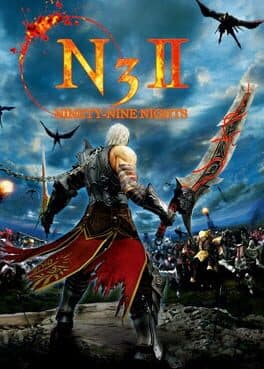
N3II: Ninety-Nine Nights
Feelplus2010
Ninety-nine Nights II (N3II) is a high-energy "Hack and Slash" action-adventure game for Xbox 360 featuring epic battles against massive armies in a unique fantasy realm. This highly-anticipated sequel is the latest follow-up to the internationally-acclaimed Xbox 360 title, Ninety-nine Nights (N3), and features improvements over the original game including multiplayer modes via Xbox LIVE, including co-op options, leaderboards, a smoother frame rate and a new added emphasis on puzzle play.
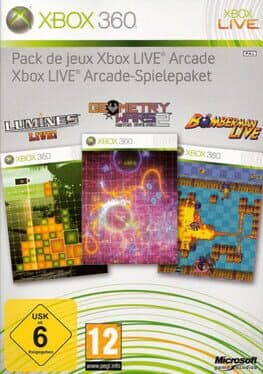
Xbox Live Arcade Game Pack
Backbone Entertainment2009
Xbox Live Arcade Game Pack is a package of three Xbox Live Arcade games. The compilation was packaged with a black wireless controller. The disc works by inserting it into the system just like any other game. However, rather than directly launching any of the titles, it adds three items to the Xbox Live Arcade menu with a small disc icon next to each name.
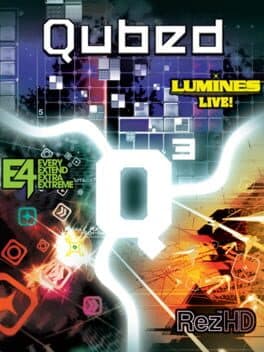
Qubed
Q Entertainment2009
This Ultimate Arcade bundle contains three award-winning audivisual masterpieces created by game guru Tetsuya Mizuguchi; Lumines LIVE, Every Extend Extra Extreme, and Rez HD. Prepare yourself for a mind-blowing mix of furious addictive action , stunning graphics and sensational soundtracks.
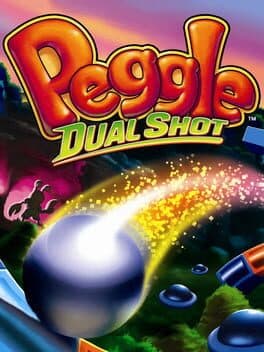
Peggle: Dual Shot
PopCap Games2009
It's the ultimate Peggle... with dual-screen action! Shoot and clear the orange pegs from 120 levels spanning two full adventure modes in this action-packed PopCap hit! Learn 11 Magic Powers, score amazing style shots, and discover the exclusive Bonus Underground filled with valuable gems and power-ups. And the action doesn't end there take your best shot in Multiplayer Duel and Quick Play modes, then put your skills to the ultimate test with 90 challenges!
Lumines Supernova
Q Entertainment2008
In January 2009 Lumines Supernova was released on the PlayStation Network. It has all the features of Lumines Live! (with the exception of online multiplayer) as well as the sequencer from Lumines II and a new mode, DigDown Mode. DigDown Mode is a timed mode where the player has to clear two vertical lines within a time limit to move "down" to the next stage.
Meteos Wars
Q Entertainment2008
Meteos Wars is a falling block puzzle game based on the Nintendo DS game Meteos. While the basic gameplay is identical in design, controlling with a gamepad instead of the touch-screen & Stylus pair makes it a different game. It consists of a board where coloured meteos plummet towards a planet's atmosphere. There, they form columns that the user can manipulate. The player moves a red cursor with two buttons to slide the meteos up or down. When three or more are lined up horizontally or vertically, they turn into ignited stone and are launched into space (the top of the screen) boosted by rockets. There they also catch all incoming meteos and often chain combos together. Ignitions based on vertical matches provide a more powerful ignition. As a group catches more incoming meteos, it becomes heavier and gravity pulls it down. The player can avoid that by causing secondary ignitions, either directly in the group or from below. If meteos can be lifted past the top of the screen, they fall down into the opponent's board. The game is over when a player's board is filled up entirely. An additional button can be used to speed up time, creating time bombs to be sent into the opponent's board to cause an explosion. Meteos can also turn into ash and drop back down. When there is a full gauge at the bottom of the screen a planet impact can be caused. There are four types (Armageddon, Gambit, Sentinel and Tempest) each with different effects. Respectively, they lower the attack power, send more meteos while receiving less, fire a meteos missile, and fire lasers to clear away falling meteos as an additional means of defense. The single-player has three game modes: a versus battle against the computer, mission mode, and attack mode. In the mission mode different planets need to be defeated before reaching Meteo. It is possible to unlock new planets and accessories along the way. Multiplayer against a human player is available both offline and online.
Lumines: Advanced Pack
Q Entertainment Inc.2008
Ready for the next challenge? Prepare yourself for the ultimate LUMINES experience and show us your skills! This exciting pack includes: 21 skins + 2 bonus skins for Challenge Mode 60 mind-bending puzzles to solve in Puzzle Mode 35 stages of quick-thinking and fast-moving in Mission Mode
Secret of the Solstice
DNC Entertainment2007
Secret of the Solstice is a Korean MMORPG developed by DNC Entertainment. Players pick a class, fight monsters, and complete quests to level up in a world of cute 2D sprites. US Secret of the Solstice was subsequently shut down by its publisher 'Outspark' for 'undisclosed reasons'. Any and all time and real money that players put into the game was lost. However Outspark offered a character merge to 'Solstice Reborn' a beta of a new release of Solstice. On October 24, 2011, the Beta was released for 1 week until it closed and Outspark removed all traces of its existence. Outspark also shut down their forums for comments on 'Solstice'.
Meteos: Disney Magic
Aspect2007
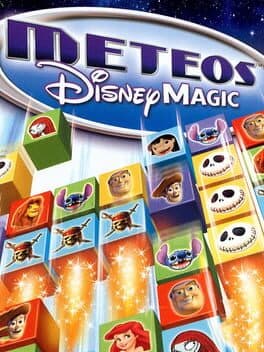
The follow-up to one of the most critically-acclaimed Nintendo DS games to date, Meteos: Disney Magic combines the superb puzzle gameplay of the original version with beloved Disney brands. Featuring an original story within the classic Disney universe, players will be asked to help Jiminy Cricket and Tinker Bell in their quest to re-organize the famous Disney storybook vault after someone accidentally changed the stories.

Angels Online
UserJoy Entertainment2006
Angels Online is a free to play MMORPG which features 16 different classes, large operational robots and the ability to switch and mix class-bound skills.
Lumines II
Q Entertainment2006
The gameplay in Lumines II is very similar to its predecessor, Lumines. The object is still to move blocks of four different colored squares across the board; while trying to create a single square of the same color. This all must be done before a "timeline" crosses the screen deleting the squares that you make. Deleting four or more squares will add a bonus multiplier to your score. (Refer to the Gameplay section of Lumines for more details). There is no Infrastructure gameplay in Lumines II. The game is visually similar to Lumines Live! and the PC port of Lumines during both gameplay and in the menus.
Lumines Live!
Q Entertainment2006
Frenetic puzzle action! Dazzling background videos! A fresh installment to the original blockbuster puzzle series has landed on Xbox LIVE Arcade: Lumines Live! Harnessing the power of Xbox 360, Lumines Live! is a deep and entertaining game experience, enhanced with vibrant music and newly designed skins that you can custom-select in Skin Edit mode. Lumines Live! even features full multiplayer mode on Xbox LIVE, unleashing leaderboards, achievements, gamer scores, online competitive modes, and more on Xbox LIVE gamers. Expand your Lumines Live! experience with additional downloadable content via Xbox LIVE Marketplace, including new puzzles, skins, and music.
Meteos
Q Entertainment2005
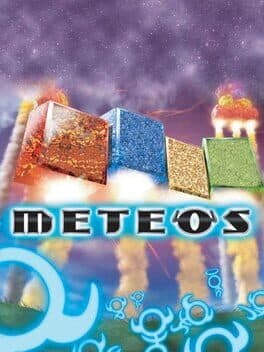
An evil planet named Meteo is sending storms of world-ending meteors across the galaxy, and only your puzzle skills can stop them. As blocks drop down on the lower screen, you must use the DS's stylus to match up blocks of the same color. Once you have enough blocks connected, they'll shoot back into the sky to form planets on the upper screen.
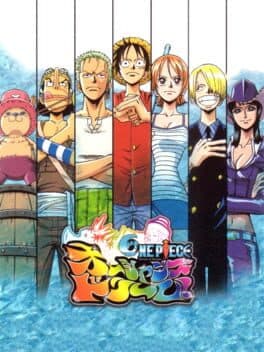
One Piece: Ocean's Dream!
8ing2003
One Piece: Ocean's Dream is a Japanese single player/multplayer board game for the PlayStation console based on the One Piece manga and anime series. It was developed by 8ing and Q Entertainment and published by Bandai Namco. It had also been made into a filler arc of the Anime series entitled Ocean's Dream Arc, which followed the storyline of the game. The game was released in May 2003.