Dispatch
Dispatch
Keep Reading
 Bombjack
With Video Game Photography on the rise, we speak to one of the people leading the charge - Frans Bouma.
In-game photography has recently become a big part of gamers' lives. Many games now feature photo modes, with varying levels of control and features.
All new-generation consoles feature easy ways to capture screenshots with ‘share’ buttons, though these are limited by the photo controls that are implemented on a game by game basis by the developers.
If you want more control and extra features then the PC is the place to go. Nvidia themselves have added the ability to take in-game photos using their Ansel technology, but where this falls down is the boundaries that the games put in place to stop the gamer from moving too far.
However, there are some incredibly talented people spending their own time and effort to give PC users powerful tools to take photos in-game without many limitations. When combined with ReShade, these photos can be nigh on photorealistic and the only limitation then becomes the natural skill of the photographer.
Frans Bouma is one of the people that is spending their personal time developing the powerful tools that are necessary for gamers to get the shots that they want. His UUU tool truly takes camera control to the next level and has enables many game photographer to take their shots to the next level. We were lucky enough to get some time with him to discuss his love of game photography and the tools he has produced.
I started around 2015. Back then I was playing Skyrim and started implementing some shader effects for the ENB mod (which allows you to run post-processing effects as well as tuning graphical aspects of the game) and discovered a whole community around taking screenshots in that game. I tried that myself and I loved it, so started taking screenshots in other games as well. Before that, I never thought of taking a screenshot in a game, although I’ve always been interested in image creation, graphics and graphics programming.
Yes, I take a lot of macro photos of insects outside gaming and occasionally the normal photo, but not as active as macro or in-game.
Gaming actually got me started with computers: back in 1985 I visited an uncle who had a Commodore 64 with a couple of games and I had never seen anything like it. So I took a paper route and after a year my brother and I was able to purchase an MSX and that was basically the start of gaming and programming. Games back then were merely sprites and 2D. Later on, I bought an Amiga 500 and spent a long time in the Demoscene programming effects for demos/intros for the Amiga. After that, I bought a PS2 and later a PS3. Went back to gaming on PC after that and when I was ‘infected’ with the virtual photography virus I stayed on PC. Bought a PS4 Pro to play the exclusives (and take shots of them of course) but my gaming is mostly taking place on PC nowadays.
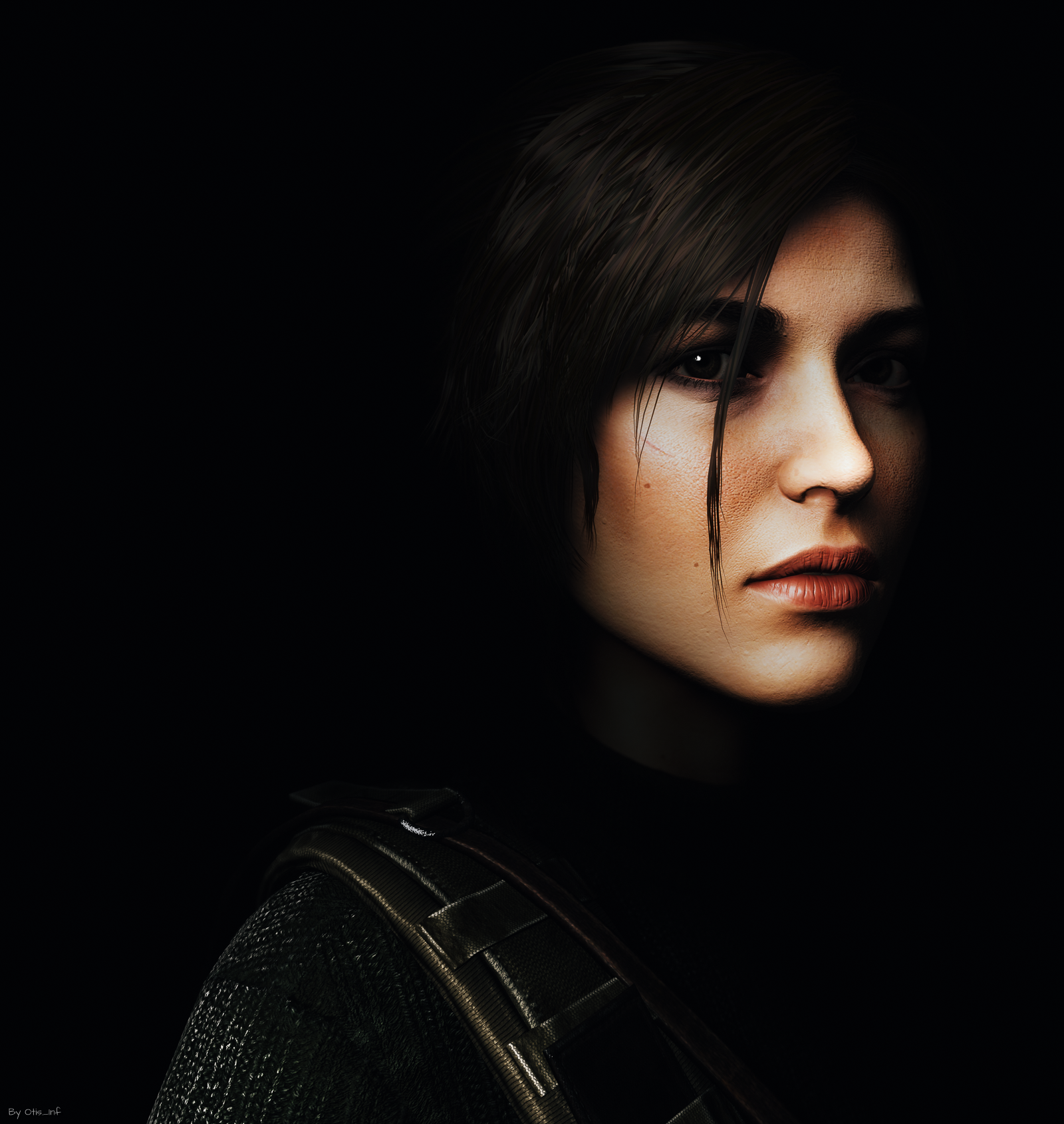
TokenGeek - Contemplating - Rise of the Tomb Raider // Taken using UUU Tool
No, not really, it sort of evolved in that. I had written photo mode mods on a per-game basis and was doing that for Unreal Engine games as well, till Sunbeam, a well-known modder, showed me how to debug Unreal Engine games build from the UE4 source code (which is available via Epic after registering as a developer). This opened the way to research the engine as it is shipped by a publisher.
It turned out that a universal system could be made which was then usable with most Unreal Engine 4 games. It started rather small, but with adjustments over the past 2-3 years, it’s now compatible with over 300 Unreal Engine 4 using games.
I recently released a new version which is the result of the port to a new version of my system so it now has camera paths support and some other nice features like character resizing. I rewrote most of its internals so it now utilizes the engine’s own objects better.
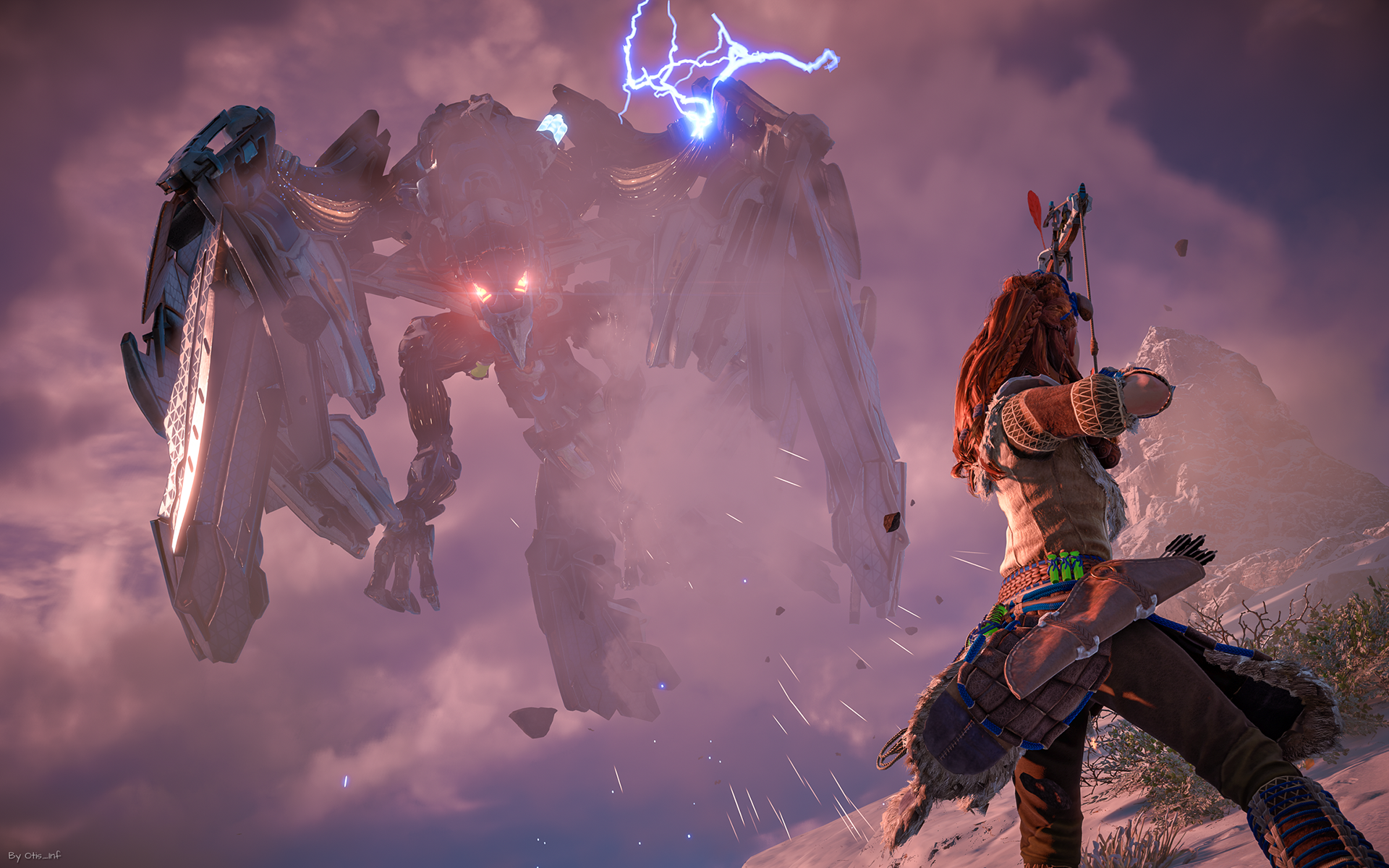
[Frans Bouma - God of War, PC // Using custom photomode mod](https://www.flickr.com/photos/otis_inf/51855938851/)
I always use ReShade, a postprocessing library, a set of shaders I wrote myself (CinematicDOF and Directional depth blur for instance) and some effects from Prod80. If there are texture mods or otherwise enhancements for a game then most of the time I’ll use them. This is the disadvantage of starting early with a game: most mods aren’t there yet so you have to deal with the vanilla game, starting later will offer you a way better Virtual Photography experience. The advantage of starting early with a game is of course that more people will look at your shots than after, say, a year. But it depends on what you find important of course.
[Frans Bouma - Elden Ring // Using custom photomode mod](https://www.flickr.com/photos/otis_inf/51926166678/)
They often offer a limited range the camera can move away from the character, and also are most of the time-limited in the locations where you can apply them. Most games disable the photo mode when a cutscene plays, which is a shame, as games often use higher-quality models/textures and effects in cutscenes and it’s also often the only way to get a shot of a character showing any emotion.
The area the camera can move in most photo modes is also a limitation that’s often frustrating. Sometimes you can move away no more than 2-3 meters which limits the number of different kinds of shots you can take.
A third very frustrating aspect of in-game photo modes is that they often come with terrible camera handling: they circle around the main character, can’t go through geometry (or even get stuck in geometry) or e.g. are on a virtual beam, like in the Uncharted games, which makes the camera flip to a different location because there’s something between you and the main character. Infuriating!
Yes. So much so that I don’t buy a game if I think it isn’t good for screenshots. However, if a game has really poor gameplay or is simply not fun, I found it’s also difficult to take good shots in it. Taking shots in a game is a major part of the fun of a game, but you’d want to progress in a game to see new locations, new scenes and have new opportunities for shots and if getting there is a chore, my shots will show that.
Yes, several times. Sometimes to help them getting insight into what they could improve in their existing photo mode offering and sometimes with job offerings to e.g. set up and create their entire internal marketing asset production pipeline.
No believe it or not I am an Unreal Engine novice. I know how the engine works, code-wise, but if you ask me to design a simple level and get a player pawn walking around in it, I’ll have a hard time. :)
I did build some test levels and added some models from e.g. Overwatch to these test levels for some shots but it was all at the level of selecting assets in the store, tinkering with settings of the assets and not doing anything particular sophisticated. Though I do think it’s a thing I’ll try to do more with in the future as it offers a great way to set up custom scenes with custom lighting, like in a real photo studio.
I do plan to make my Unreal Engine unlocker compatible with UE5 when it releases.
I think that’s already possible today but it takes serious effort and a little luck that all assets used in the scene play along (e.g. don’t clip through geometry, shadows are high resolution etc.). Several engines today are capable of rendering scenes with realistic global illumination and high-resolution shadows, skin effects and e.g. hair. It’s a matter of whether studios will invest in the high-quality assets required for realistic shots for their games; after all, a game character we never see up close, does that need very high-quality face rendering?
It’s to be seen if UE5 will make a difference in that regard.
I found the photo mode in Shadow Warrior 2 very impressive and the most recent ones in e.g. Spiderman on PS4 where you can create custom lights.
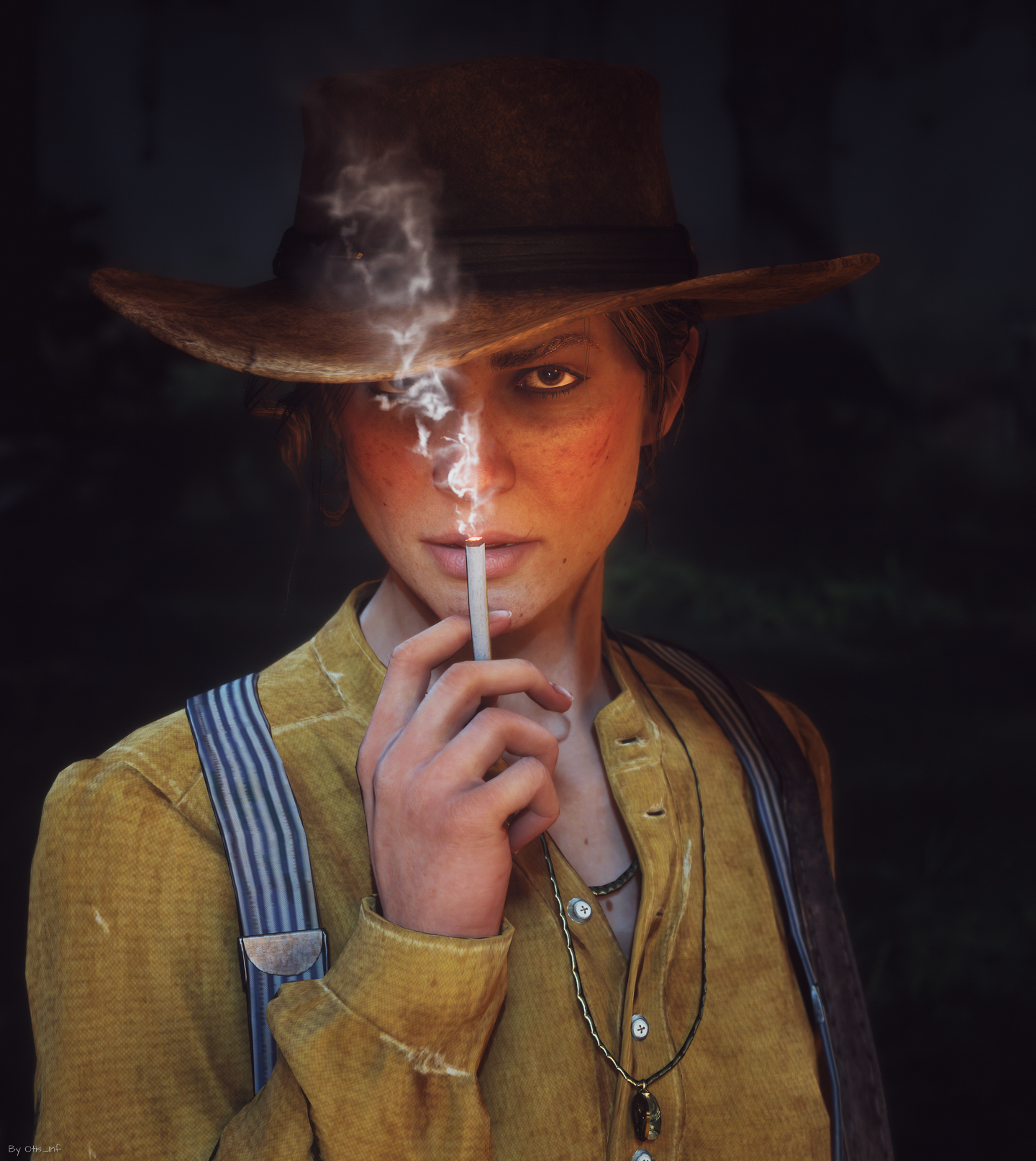
Recently I found The Ascent very beautiful, just point the camera anywhere and the shot will be a winner. Furthermore, I found Red Dead Redemption 2 and God of War (PS4) absolutely gorgeous.
Ansel as a concept is nice, but its UI and functionality clearly need some updates. The lack of any progression in fixes and new features also doesn’t bode well for its future. I don’t know what Nvidia wants with it, to be honest. It feels like it’s a project that has been forgotten/abandoned
Nowadays I first create a custom camera for a game, which takes 3 to 4 days most of the time. This is then also released on my Patreon for other Virtual Photographers. Then I set up reshade with the shaders I want to use and play through the game while taking shots at the same time. That’s often a matter of: take two steps, see a nice scene, pause the game and enable the camera and take a few shots, continue gaming by moving along a bit and then repeating the process.
*Frans Bouma - Metro Exodus // Using custom photomode mod*
I tweak shaders per shot, and never use a pre-fab reshade setup. Every shot requires different approaches and effects: some need a depth of field effect, others don’t. Some require a dark background, others don’t.
I also moved the 2D pixel effect processing from ReShade to Lightroom Classic nowadays as in essence it’s the same thing: changing the colour/brightness of a pixel and in Lightroom, I have more control over what to edit. For depth-based effects, however, ReShade is a must.
God of War: top-quality assets, interesting combat scenes. Every scene is shot worthy.
Rise of the Tomb Raider: a variety of scenes, and Lara is a model like no other with plenty of idle animations
The Witcher III: a massive amount of mods and tweaks as well a vast variety of locations for creating the perfect scene for your shot.
Borderlands 3: the game has so many different locations, enemies and scenes and a unique style, every shot is like a drawing.
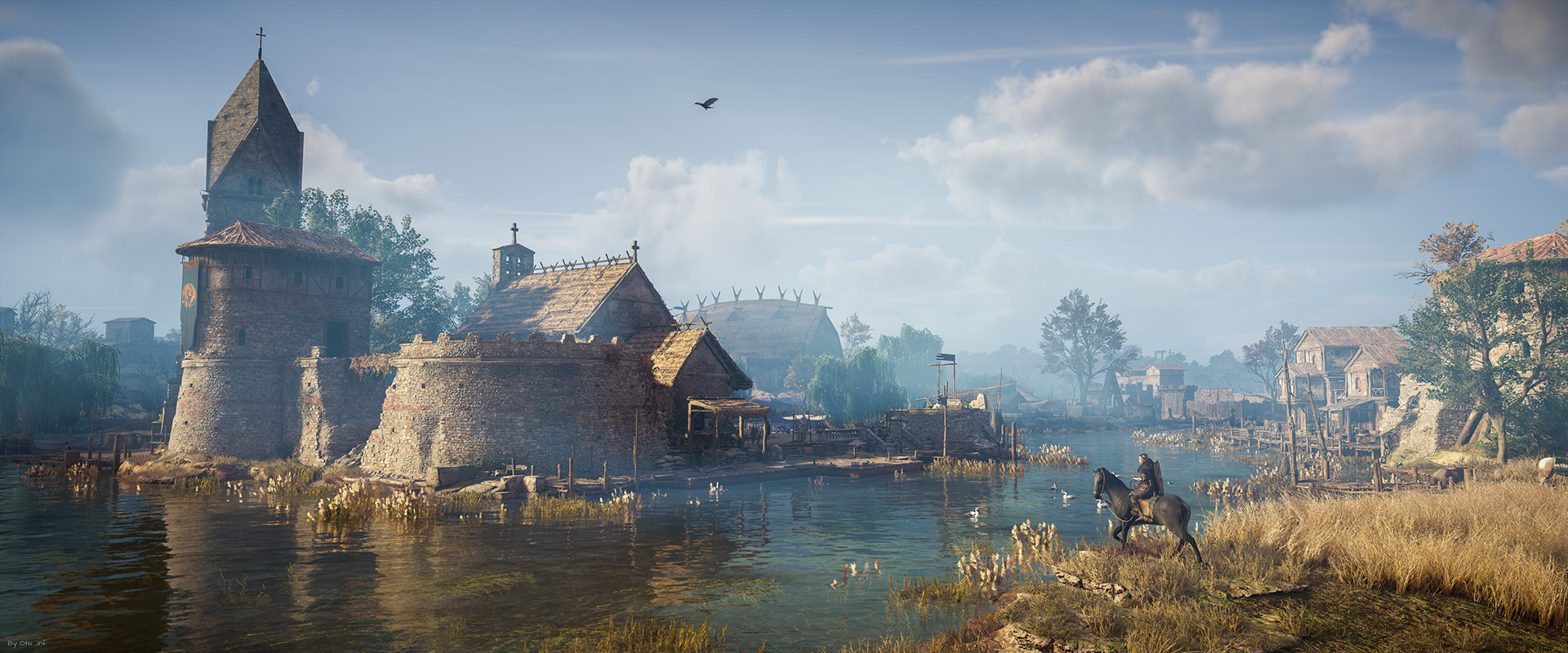
Assassin’s Creed Valhalla: Although its assets are of less quality than the previous games, the locations offer a large range of options to take great moody shots.
One3rd, Pino44io, Bibpanana, TeoTave, Nic Clapper and many others.
Photography does get in the way indeed, it takes effort to get fully immersed in a game while playing it and the scenery and characters are all screaming “Take a shot of me!”. But I try to play the game as much as possible too as on several occasions I’ve had that I was halfway through a game and had no clue what was going on anymore as I missed most of the cutscenes as I was taking shots of them.
I think those are two different things: the gameplay shot of action has its value but can’t be compared with a carefully composed shot of a scene taking with a photo mode or custom camera system: the latter tells a new story, the one in the shot, that’s not part of the game: the game is merely the provider of the material to build that new story and take a shot of.
So both have value in their own context. It would be great if every game has a proper photo mode so more people learn about this wonderful new art form.
Too many. For instance, all Naughty Dog games have photo modes that are simply dreadful to use. I still think photo modes in games are more often than not an afterthought built by developers who themselves never used one: limited movement, controls that are clumsy or awkward to use, a field of view control that steps between just a couple of values, tilt that only goes 45degrees (so taking a portrait using a higher resolution by tilting 90 degrees isn’t possible), and many more things. Any developer who also happens to take shots in games will know what matters.
I’ve several favorites:
Lara Croft, Rise of the Tomb Raider
From Assassin’s Creed Valhalla
Yes absolutely. I see it as a kind of photography. Like you have macro photography, portrait photography and the like. All kinds of aspects from photography play a part and new ones too, like having virtual worlds at your disposal that would otherwise be difficult to realize in a photo studio.
I find NFTs a terrible invention and the sooner it goes away the better. People who peddle NFTs should read the text of copyright law, then they’d know buying a token (a receipt) doesn’t grant you any rights to the original work.
More control over lighting, assets (like remove a tree that’s in the way, swap armour on a character temporarily), higher-quality shadows, higher quality LODs so we’re not stuck with gameplay LODs for e.g. ground, foliage and other geometry and more control over character poses indeed, like that you can control the head position and eye position, you can make the character look at the camera the way you want to.
I don’t spend that much time on a shot, I think the longest was perhaps 10-15 minutes? If I can’t make it look good in a short period of time, it won’t get any better if I put in more effort. Usually, I know what I want to take a shot of when I arrive at a certain scene and look at it for a minute or so.
Take a lot of shots of things you find great looking. It doesn’t matter what. Just try things out: landscapes, portraits, action shots… see what works and what it takes to actually make a shot of that type. You’ll learn through practice how to use a camera, what to pay attention to etc.
Additionally, I’d advise reading up on basic photography principles like composition, colour, and what light does to a scene…. There are many tutorials about these online, often for free.
Yes every camera is custom made for a specific game, and besides the bare minimum of a free camera, time stop and hud toggle exposes features I could dig up in the game’s engine, like time of day control if the game has that, weather control and for instance hot sampling support so you can dynamically resize the game window at will after composing a shot, so you can take a high-resolution shot without the necessity to play at that resolution.
For years I gave them away for free but 2 years ago I realized it became too much work to keep up so I had to make a choice: make it a part-time job or quit creating them. I chose the former and put them on a patreon: https://patreon.com/Otis_Inf
Sometimes, but nowadays not that much anymore. I created one for Red Dead Redemption 2 because creating tools for that game turned out to be difficult due to its anti-tamper code, so I created a cheat table that extended the photo mode of the game with features like unlimited range, weather support, hot sampling support and more.
I love doing portraits, and since about a year ago I try more and more to do action shots too and it’s a lot of fun. So I always try to do these first in a game. After that moody landscapes where there’s more to see than you initially think.
No problem at all. Thanks for chatting to me.
No comments yet. Be the first.